

(What Nobody Warns You About)
Part 4 of 4 — The AI Development Playbook: What Every Business Owner Needs to Know
In the first three parts of this series, we covered how AI is transforming development, which tools to use, and when to go DIY vs professional. This final post is the one we almost didn’t write — because it’s uncomfortable. It’s about the money you’ll lose after you’ve already built something.
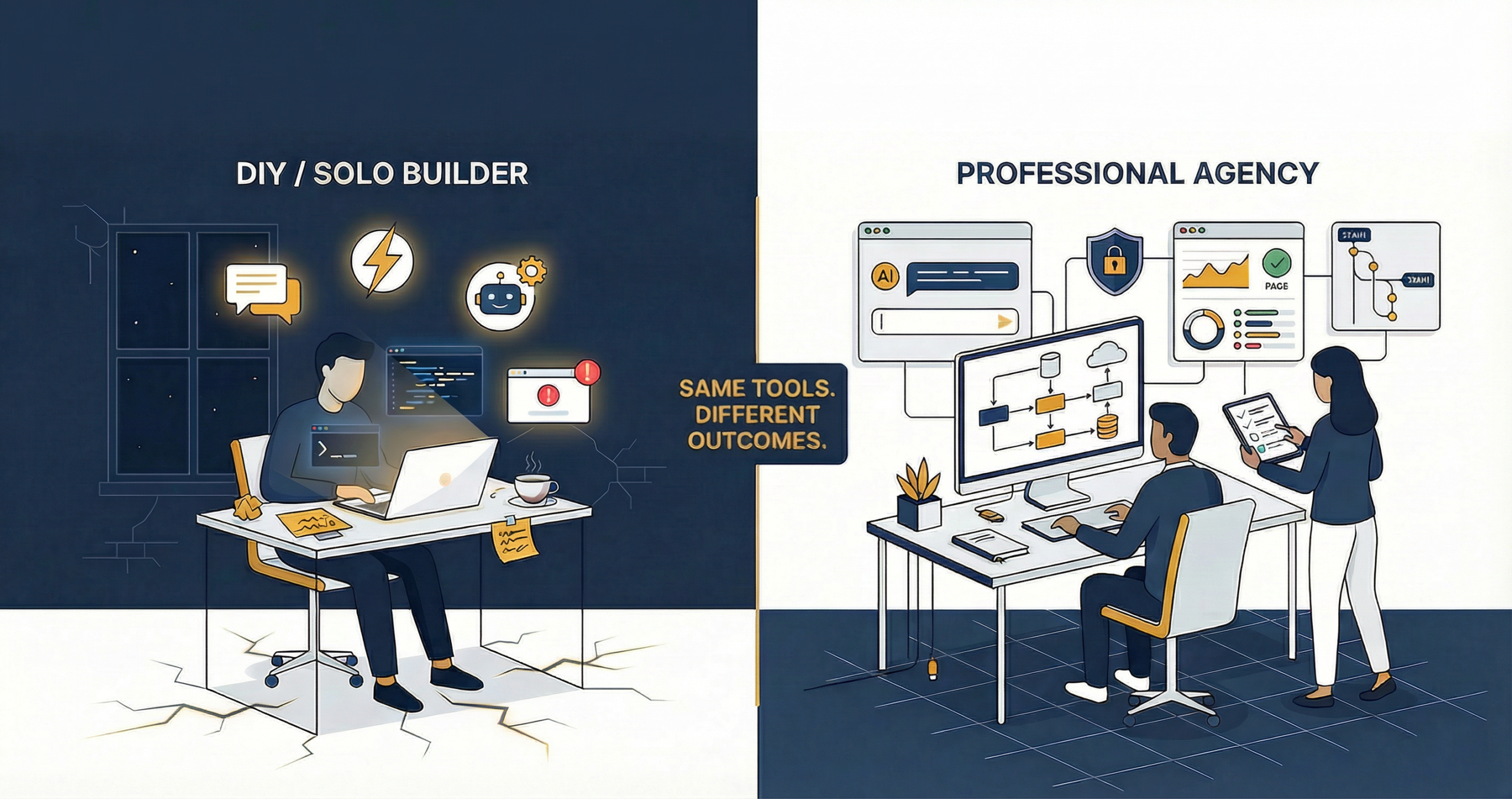
Over the past 18 months, we’ve had conversations with dozens of founders who came to us not at the beginning of their journey, but somewhere in the middle of a quiet unravelling. They’d built something. It worked — or at least it appeared to. They’d shown it to friends, pitched it to early users, maybe even taken on a few paying customers. And then, gradually, things started going wrong in ways they couldn’t quite explain.
The honest truth is this: AI tools have made it dangerously easy to build things that look finished but are fundamentally broken underneath. Not broken in an obvious, crashing-on-launch way. Broken in the slow, expensive, embarrassing way — the kind that shows up in your hosting bill at midnight, in a data breach email to your users, or in a developer’s horrified expression when they look at your codebase for the first time.
Why Non-Technical Founders Are Most Vulnerable
There’s a phenomenon we’ve started calling the confidence-competence gap, and AI development tools have made it wider than ever before.
When you build something with Bolt.new, v0, or Lovable.dev, you get something remarkable in return for very little effort: a working prototype that looks and feels like a real product. It has a user interface. It connects to a database. It processes forms. From the outside — and even from the inside, if you don’t know what you’re looking for — it resembles a finished application.
But resembling a finished application and being one are very different things. What these tools don’t give you is infrastructure planning, security architecture, scalability design, or production-grade error handling. They give you a vehicle that drives beautifully in a car park, with no guarantee it’ll survive a motorway.
Consider Raj, a founder who built his food delivery SaaS in three weeks using AI tools. It looked perfect — clean UI, smooth user flows, responsive design. Six months after launch, his hosting bill went from ₹2,000/month to ₹47,000/month because nobody had set up rate limiting or caching. Every page load was hitting the database directly. Every API call was unthrottled. The app was working — it was just working in the most expensive way possible, and nobody had told him that was a problem until it showed up on his credit card statement.
The Development Cost Spiral — How AI Builds Go Over Budget
The initial cost of building with AI tools feels like a win. And for a prototype or an MVP, it often is. The problem is what comes next.
The Rework Trap
AI-generated code is optimised for getting to a working state quickly — not for being extended, modified, or scaled. When you try to add a new feature three months after launch, you often discover that the existing code wasn’t architecturally planned to accommodate it. The result is a rewrite — or worse, a patch on a patch, adding technical debt with every change until the system becomes genuinely fragile.
We’ve seen projects where a founder spent ₹80,000 on an initial AI-assisted build, then spent ₹3.5 lakhs on rewrites over the following year because the original architecture couldn’t support the product roadmap. The rewrite cost four times the original build.
The Integration Tax
Every third-party service that wasn’t planned for from day one — payment gateways, SMS APIs, CRM integrations, analytics platforms — costs significantly more to add retroactively. We typically see a 3–5x cost multiplier for integrations added post-launch versus planned from the start. The code has to be restructured to accept them. Data models have to change. Security considerations have to be revisited.
The ‘It’s Broken in Production’ Problem
AI tools don’t test at scale. A feature that works perfectly for 10 concurrent users may fall apart completely at 500. Database queries that run instantly with a small dataset may time out with real user data. This isn’t theoretical — it’s a pattern we see consistently.
Discovering performance failures post-launch means emergency developer costs — which are always higher than planned costs. You’re paying a premium for urgency, and you’re doing it at the worst possible time: when your reputation is on the line.
Scope Creep Without Architecture
One of the most seductive aspects of AI development tools is how easy they make adding features. It seems effortless — you describe what you want, the tool generates it, you click deploy. But without an architectural plan governing what gets added and how, the system becomes unmaintainable remarkably quickly. Features conflict. Data models become inconsistent. The codebase turns into a place no developer wants to touch.
The Security Nightmare — Real Risks Non-Tech Founders Overlook
This is the section we most urgently need you to read. Security failures aren’t just technical problems — in India, they carry legal consequences under the Information Technology Act 2000 (amended) and incoming data protection regulations. If your application handles personal data, financial information, or health records, you have legal obligations — and AI tools will not remind you of them.
Here are the most common security failures we see in AI-scaffolded projects:
Default database credentials left unchanged. AI tools often scaffold projects with default usernames and passwords for databases. Founders who don’t have a security background don’t know to change them — and they get left in production.
No input validation. Without proper server-side validation, your application is vulnerable to SQL injection and Cross-Site Scripting (XSS) attacks. AI-generated code frequently skips this unless explicitly instructed.
Sensitive user data stored without encryption. Passwords stored in plain text. Personal identification details in unencrypted database columns. If your database is ever compromised, your users’ data is entirely exposed.
Shared hosting for applications handling financial or health data. Shared hosting environments are not appropriate for sensitive data applications. Your data sits on the same server as potentially dozens of other sites, with none of the isolation that a proper environment provides.
API keys left in frontend code. This is one of the most common AI tool mistakes we see. API keys for payment processors, SMS services, and third-party APIs end up in client-side JavaScript — visible to anyone who opens the browser’s developer tools.
No backup or disaster recovery plan. When something goes wrong — and in a production environment, something always eventually goes wrong — you need a tested recovery path. Many AI-built applications have no automated backups at all.
If any of these concerns apply to your existing application, we strongly recommend reviewing our website and application security services before they become an emergency.
The Hosting and Infrastructure Trap
Nobody tells you about infrastructure costs when you’re excited about launching. And the free and low-cost hosting options that AI tools typically deploy to make it easy to ignore the question entirely — until you can’t.
The free tier illusion. Vercel, Firebase, Railway, and similar platforms offer free tiers that are genuinely useful for prototyping. They become a problem when founders use them for production applications and don’t plan for what happens when usage grows.
Firebase billing shock. Firestore’s pricing model charges per document read, write, and delete. An application that seemed free at 100 users can generate thousands of rupees in unexpected charges at 10,000 users — especially if queries haven’t been optimised to minimise database reads.
Shared hosting for dynamic applications. Shared hosting is designed for static or low-traffic sites. Dynamic web applications with real-time database queries, API integrations, and concurrent users perform poorly on shared hosting — high response times, unpredictable downtime, and resource throttling during peak usage.
Wrong database for the use case. MongoDB (a NoSQL database) is often chosen by AI tools because it’s easy to scaffold. But if your application’s data is fundamentally relational — users have orders, orders have products, products have categories — you need a relational database like PostgreSQL. Using the wrong database type creates inefficiency and complexity that becomes very expensive to fix.
No CDN for an India-facing application. An application hosted in a single region (say, Mumbai) will have noticeably higher latency for users in Delhi, Chennai, or Kolkata. A Content Delivery Network (CDN) distributes your static assets globally, improving load times — but it’s rarely set up by default in AI-scaffolded projects.
No SSL or misconfigured SSL. HTTPS is non-negotiable in 2026. Not just for security — Google’s search ranking considers HTTPS a signal, and modern browsers actively warn users about non-secure sites. AI tools sometimes misconfigure SSL, or leave it as an afterthought.
For properly planned hosting, see our hosting services.
Month 1 vs Month 12 — What Your Infrastructure Costs Look Like Without Planning
| Infrastructure Item | Month 1 (Unplanned) | Month 12 (Without Planning) |
|---|---|---|
| Basic Hosting (Shared/Free Tier) | ₹0 – ₹500 | ₹8,000 – ₹25,000 (upgrade forced) |
| Database (Firebase/Firestore) | ₹0 | ₹5,000 – ₹40,000 (unoptimised reads) |
| CDN | ₹0 (not set up) | ₹2,000 – ₹6,000 (if added late) |
| SSL Certificate | ₹0 (Let’s Encrypt) | ₹2,000+ (if misconfigured, emergency fix) |
| Backup & Recovery | ₹0 (not set up) | ₹5,000 – ₹15,000 (after an incident) |
| Security Patching | ₹0 | ₹20,000 – ₹80,000 (emergency response) |
| Developer Emergency Costs | ₹0 | ₹15,000 – ₹1,50,000 (at worst time) |
The Tool Lock-In Problem
One of the less-discussed risks of building on AI scaffolding platforms is what happens when you need to move.
Lovable.dev, Bolt.new, and Replit offer hosted environments where your application lives on their infrastructure. This is convenient at launch — until their pricing changes, their platform has an outage, or (in the worst case) the company pivots or closes. If your entire business runs on a third-party platform’s free or low-cost tier, you are one pricing announcement away from a crisis.
There’s also the question of code portability. AI-generated code is frequently inconsistent in structure, lacks documentation, and doesn’t follow the conventions that professional developers recognise and can quickly navigate. When you eventually need to hire a developer — and you will — they’ll spend significant time just understanding what they’re looking at. We’ve had developers quote 50–100% higher rates for maintaining AI-generated codebases compared to well-structured professional code.
Finally: version control and documentation. AI tools often skip both. Without Git version control, there’s no history of what changed and when — making debugging and rollbacks extremely difficult. Without documentation, knowledge about how the system works exists only in the original founder’s head.
Real Scenarios — What This Costs in Rupees
Scenario 1: A Delhi-Based Logistics Startup
A Delhi-based logistics startup built a shipment tracking platform using an AI coding assistant and a combination of Firebase and a no-code dashboard builder. The build cost them approximately ₹45,000 in developer time and tool subscriptions over six weeks. The application launched smoothly and handled their initial 200 daily active users without issue.
At month four, with daily actives approaching 2,000, their Firebase bill jumped to ₹38,000 in a single month — up from ₹2,200 the month before. Investigation revealed that their tracking dashboard was pulling full shipment records on every page load, with no caching, pagination, or query optimisation. The data model, built by the AI tool, wasn’t designed for this volume. Fixing the architecture cost them ₹1.8 lakhs in developer time, plus two weeks of degraded performance during which several enterprise clients complained directly.
Scenario 2: A Pune SaaS Founder
A Pune-based founder built an HR management SaaS using Bolt.new, with a Supabase backend. The product looked excellent and attracted its first 15 paying customers within two months of launch. He was rightly proud of what he’d built.
Eight months later, a security researcher contacted him through a responsible disclosure email. His application was storing employee salary data and personal identification numbers in unencrypted database columns. His Supabase API key was visible in his frontend JavaScript — something the AI tool had placed there during initial scaffolding that he’d never noticed. The researcher could, in theory, have accessed every employee record in his database.
No breach occurred, thankfully. But the remediation — engaging a security consultant, re-architecting the data storage, notifying customers, and commissioning a basic penetration test — cost him approximately ₹4.2 lakhs. His biggest cost wasn’t financial: two of his paying customers cancelled citing security concerns, representing ₹18,000/month in lost MRR.
Scenario 3: A Mumbai Retailer
A Mumbai-based fashion retailer built a custom e-commerce platform with an AI assistant because they felt Shopify’s transaction fees were eating into margins. The initial build cost ₹90,000 and launched in time for the Diwali season.
During peak Diwali traffic, the site experienced a complete outage for 11 hours. The application was hosted on shared hosting — the same tier used for static brochure sites — and the volume of concurrent users overwhelmed the server. Because there was no auto-scaling, no load balancer, and no disaster recovery plan, recovery required manual intervention from a developer who charged an emergency rate of ₹12,000 for a Sunday call-out.
The lost Diwali sales were estimated at ₹6.5 lakhs. The cost of migrating to proper cloud infrastructure afterward was another ₹1.1 lakhs. Total cost of not planning infrastructure from day one: approximately ₹7.7 lakhs, on a build that had cost ₹90,000 to create.
How to Protect Yourself — The Non-Technical Founder’s Checklist
You don’t need to become a developer. You need to know the right questions to ask and the right baseline to insist upon.
Before You Build
- Get a technical consultation — even 1–2 hours with an experienced developer or technical consultant before you start building can save you from architectural mistakes that cost lakhs to fix.
- Define your data model — understand what data you’re storing, how it relates, and what database type (SQL vs NoSQL) suits your use case.
- Plan for scale — estimate what 10x your initial user base looks like, and ask whether your chosen tools can handle it cost-effectively.
Security Baseline
- HTTPS only — no production application should serve traffic over HTTP.
- Hashed passwords — never store passwords in plain text. Use bcrypt or Argon2.
- No exposed API keys — all API keys must be server-side environment variables, never in frontend code.
- Input validation — all user input must be validated and sanitised on the server side.
Hosting and Infrastructure
- Budget for paid tiers from day one — build realistic hosting costs into your financial projections. Free tiers are for prototypes.
- Use cloud hosting with auto-scaling — not shared hosting for any application that handles real users or transactions.
- Set up a CDN — especially for applications serving users across India.
Operational Essentials
- Automated daily backups — offsite, tested, non-negotiable.
- Code ownership — ensure you own and can export your codebase at all times. Never be locked into a platform you can’t leave.
- Version control — your code should be in Git from day one, with meaningful commit history.
Why This Is Exactly Why We Offer Consultation
We started offering standalone consultation sessions at Bit Binders specifically because of posts like this one — because we kept seeing the same patterns. Enthusiastic founders. Impressive-looking AI builds. And then, quietly, the unravelling.
A two-hour consultation with our team will walk through your existing build (or your plans) and flag every risk we see — security gaps, infrastructure choices, scalability concerns, licensing issues. We won’t judge what you’ve built. We’ll help you understand what it will cost you if you don’t address these issues now versus later.
That conversation has saved some of our clients tens of lakhs. We know because they told us.
Whether you’re just starting out or you’re already live and not sleeping well at night about your app — reach out. The first step is just a conversation.
Wrapping Up the Series — What You Now Know
Over four posts, we’ve tried to give you an honest, complete picture of AI-assisted development in 2026:
- Part 1 — How AI is genuinely transforming what’s possible for small development teams and non-technical founders.
- Part 2 — Which AI tools actually work, which are overhyped, and how to choose between them.
- Part 3 — When to build yourself with AI tools, and when to bring in professionals.
- Part 4 (this post) — The hidden costs and risks that can turn a successful launch into a crisis.
The honest conclusion is this: AI is a tool, not a team. It is genuinely extraordinary at accelerating certain kinds of work. It is not a substitute for architectural thinking, security expertise, or infrastructure planning. The founders who get the most out of AI development are those who use it as an amplifier — and who know when to bring human expertise alongside it.
Ready to Build Smarter?
If this series has given you pause about something you’re currently building — or planning to build — that’s a good thing. A moment of reflection now is worth far more than an emergency response later. Our consulting team at Bit Binders is here to help — with no jargon, no judgement, and no agenda other than making sure you build something that lasts.If you found this series useful, start from Part 1 and share it with a founder who needs to hear it. The conversation around AI development in India needs more honesty — and more of us having it openly.